Which SIM Number on My CNIC? Check & Remove SIMs 2026
In Pakistan, your CNIC (Computerized National Identity Card) is the key to your digital identity. However, it can also be a liability if unauthorized Which SIM Number on My CNIC.
As of February 2026, the Pakistan Telecommunication Authority (PTA) has made it clear: You are legally responsible for every activity conducted through SIMs registered on your CNIC. Whether it’s a scam, harassment, or even more serious crimes, the owner of the CNIC faces the consequences.
In this guide, we’ll show you exactly how to check your SIM count, understand the legal limits, and most importantly how to remove numbers you don’t recognize.
How to Check SIMs on Your CNIC (2 Methods)
There are two official ways to verify how many SIMs are linked to your identity.
Method 1: The Quick SMS Check (668)
This is the fastest method and works on any mobile phone without needing the internet.
- Open your Messaging App.
- Type your 13-digit CNIC number (without any dashes or spaces).
- Send it to 668.
- Cost: Approximately PKR 2.30 (including tax).
- Result: You will receive a breakdown of SIMs by operator (Jazz, Telenor, Zong, Ufone, SCO).
Method 2: The PTA Web Portal (Free)
If you have an internet connection, this method is free and provides a clear visual table.
- Visit the official portal: cnic.sims.pk.
- Enter your 13-digit CNIC.
- Complete the CAPTCHA (I’m not a robot).
- Click Submit to see your operator-wise SIM count.
PTA SIM Limits in 2026
PTA strictly enforces a limit on the number of SIM cards an individual can own. Exceeding these limits can lead to the automatic blocking of your active lines.
| SIM Type | Maximum Allowed |
| Voice SIMs (Standard calling) | 5 |
| Data SIMs (EVO, Dongles, Tablets) | 3 |
| Total Combined Limit | 8 |
Note: These limits apply across all networks combined, not per network.
Found an Unknown SIM? Here’s What to Do
If your 668 check shows more SIMs than you actually own, someone may have used your identity fraudulently. You must Disown these SIMs immediately.
Difference Between “Blocking” and “Disowning”
- Blocking: Temporary. The SIM is still linked to your CNIC. Scammers might still receive OTPs.
- Disowning: Permanent. The SIM is wiped from your record. This removes your legal liability.
How to Disown an Unauthorized SIM
- Visit the Franchise: You must go in person to the Customer Service Center of the specific operator (e.g., if it’s an unknown Jazz SIM, go to a Jazz franchise).
- Bring Documents: Take your Original CNIC and at least two photocopies.
- Request “SIM Disowning”: Fill out the official form provided by the staff.
- MBVS Verification: You must perform a Multi-finger Biometric Verification. The system will randomly ask for two different finger scans to verify it is really you.
- Confirmation: Once processed, the SIM will be removed from your record within 24–48 hours.
Also Check: Ufone Sim Owner Details 2026 Check Name CNIC and Address
Protecting Your Identity from Fraud
To ensure no one registers a SIM on your CNIC in the future, follow these safety tips:
- Quarterly Checks: Check 668 at least once every three months.
- Mark Your Photocopies: When giving a CNIC copy to anyone, write “For [Purpose] Only” in the middle of the copy so it cannot be reused.
- Lost CNIC: If you lose your ID card, report it to NADRA immediately and check your SIM count the same day.
- Avoid Local Vendors: Only buy SIMs from authorized franchises that use the MBVS (Multi-finger) system.
Checklist: Visiting the Franchise to Disown a SIM
Don’t just walk in; if you miss a document, they cannot process your request due to strict PTA/NADRA regulations.
- Original CNIC: Must be valid (not expired).
- CNIC Photocopies (3 copies): It’s best to have three. Pro Tip: Write “For SIM Disowning [Operator Name] Only” in bold across the photo of the ID so it can’t be reused.
- The Number(s) to Disown: Have the specific mobile numbers written down. If you don’t know the exact numbers, ask the representative to show you all numbers registered under your CNIC on their screen.
- Active SIM: Bring your actual phone/SIM with you. They may send a confirmation code to your primary number.
- Biometric Presence: You cannot send a brother or friend. Your physical presence is required for the MBVS (Multi-finger) scan.
What to Do if Your CNIC is Lost or Stolen
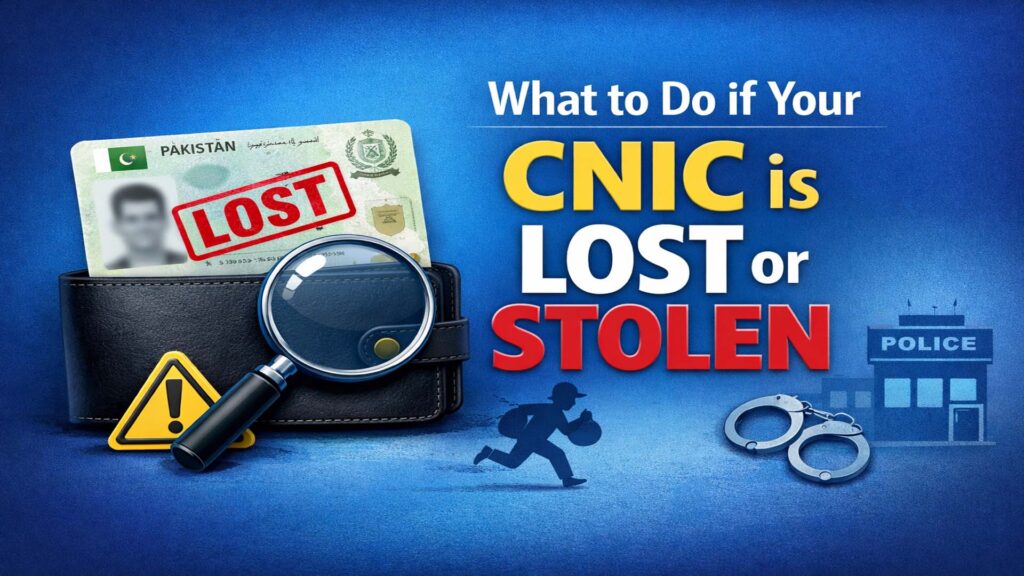
If you discovered unknown SIMs because your physical card is missing, follow these steps in this exact order to protect yourself legally:
File a Police Report (FIR) or Lost Report
Go to your nearest Police Station or use the “Police Khidmat Markaz” app/center.
- Why: This is your legal proof that after this date/time, any activity (SIM registration, bank fraud, etc.) done using your CNIC was not done by you.
Block the Card with NADRA
Call NADRA’s helpline immediately to “freeze” the card so it cannot be used for biometric verification.
- Helpline: 1777 (from a mobile) or +92 51 111 786 100.
- Verification: They will ask for your Mother’s name and place of birth to verify your identity.
Check SIMs via 668
Once the card is blocked/reported, use the 668 SMS service to see if the thief has already registered new SIMs. If they have, follow the “Disowning” steps above immediately.
Apply for a Duplicate CNIC
Visit a NADRA Executive Center to apply for a “Duplicate” card. Once you have the new card, it will have a new “Date of Issuance,” which helps distinguish it from the lost/stolen one.
Note: If you find that an unknown SIM was used for a crime (like a fake lottery scam or threatening calls), do not just disown it. File a report with the FIA Cybercrime Wing (Helpline: 1991) so they know you are the victim, not the criminal.
Frequently Asked Questions (FAQs)
Can I remove a SIM from my CNIC online?
No. Beware of scams. For security reasons, PTA requires physical biometric verification at a franchise to remove a SIM.
Why am I responsible if I didn’t buy the SIM?
Under Pakistani law, the person whose name is on the registration is the primary suspect in any investigation involving that number.
What is MBVS?
It is the Multi-finger Biometric Verification System. It prevents fraud by requiring random finger scans instead of just one, making it nearly impossible for retailers to “steal” your fingerprint for a fake registration.
How can I check how many SIMs are registered on my CNIC?
You can check your SIM count by sending your 13-digit CNIC number (without dashes) via SMS to 668. Alternatively, visit the official PTA web portal at cnic.sims.pk for a free, detailed breakdown by mobile operator.
What is the maximum number of SIM cards allowed per CNIC?
As of 2026, the PTA allows a total of 8 SIMs per person. This limit is specifically divided into 5 Voice SIMs (for calls and SMS) and 3 Data-only SIMs (for MBB devices or tablets). You cannot have 8 voice SIMs on one ID.
Can I remove or disown an unknown SIM card online?
No. For security reasons, there is no online system to disown a SIM. To remove a number from your CNIC, you must physically visit the mobile operator’s franchise and complete a Multi-finger Biometric Verification (MBVS). Any website claiming to do this online is a scam.
What is the difference between “Blocking” and “Disowning” a SIM?
Blocking is a temporary suspension where the SIM remains linked to your identity. Disowning is a permanent removal that clears the number from your CNIC record. For unauthorized or unknown SIMs, you should always choose Disowning to eliminate legal liability.
Am I responsible if a SIM on my CNIC is used for illegal activity?
Yes. Under Pakistani law, the registered owner of a CNIC is held legally accountable for all activities (fraud, harassment, or criminal acts) conducted through SIMs registered in their name. This is why regular monitoring is critical for your protection.
What should I do if my SIM count is higher than the numbers I actually use?
If you find extra SIMs on your record, identify which operator they belong to (e.g., Jazz, Zong). Visit that specific operator’s service center with your original CNIC and request to disown the unauthorized numbers immediately through biometric verification.
How often should I check my SIM registration status?
It is highly recommended to check your CNIC via 668 at least once every three months (quarterly). You should also check immediately if you lose your physical CNIC or if you notice suspicious activity, such as receiving unexpected OTPs on your phone.
Disclaimer: Not an Official Affiliate: Simownerxyz.com is an independent guide and is not officially affiliated with, authorized by, or endorsed by the Pakistan Telecommunication Authority (PTA), NADRA, or any cellular service provider (Jazz, Zong, Telenor, Ufone, or SCO). All official actions, such as SIM disowning or biometric verification, must be conducted through official government portals or authorized operator franchises.