How to Check Jazz SIM Owner Details 2026 Online Check
Checking your SIM owner details is one of those things you don’t think about until you’re staring at a “No Service” bar or, worse, you get a suspicious call that makes you wonder who actually has your identity in their pocket. Being in the tech space in Pakistan for years, I’ve seen it all from people losing their JazzCash because of a SIM swap to friends finding out there are five random numbers registered on their CNIC that they’ve never even heard of.
As we move through 2026, the Pakistan Telecommunication Authority (PTA) has made things stricter. You can’t just wing it anymore. Whether you’ve found an old SIM in a drawer or you’re worried about your digital security, here is the ground-reality guide on how to check Jazz SIM owner details using the most reliable methods available today.
How to Check Jazz SIM Owner Details 2026 Online Check
Before we dive into the “how,” let me tell you why I check my own SIM count every month. Last year, a colleague of mine found out someone had used his CNIC to get a “ghost SIM.” They didn’t use it for calls; they used it to bypass OTPs for his banking app. By the time he realized his primary SIM had been “deactivated” by a fraudulent swap, his savings were gone.
In 2026, your SIM is your digital thumbprint. It’s linked to:
- JazzCash & Banking: Your entire financial life.
- Social Media: Recovery codes for WhatsApp, Facebook, and Instagram.
- FBR & Government Services: Your tax records and identity portals.
If you don’t know which numbers are in your name, you’re essentially leaving your front door unlocked.
Method 1: The “MNP” SMS (Best for Checking the SIM in Your Hand)
If you have the Jazz SIM inserted in a phone and you just want to know whose name it’s under, this is the quickest way. I use this whenever I find a SIM lying around the house and can’t remember if it’s mine or my brother’s.
How to do it:
- Open your messaging app.
- Create a new message and type MNP (it doesn’t have to be caps, but I prefer it).
- Send it to 667.
- Wait for about 10–20 seconds.
What you’ll get:
You’ll receive a reply with the Owner Name, CNIC Number, and the Activation Date.
Author’s Note: Keep in mind that 667 is a paid service (usually around 2–3 PKR). If you have zero balance, the message will fail. I’ve seen many people complain that “667 isn’t working,” only to realize they didn’t have enough credit for a single SMS!
Method 2: The *99# USSD Code (Fastest & Free)
This is the “old reliable.” If you just want to see the phone number and the CNIC it’s linked to without waiting for an SMS, use this.
Step-by-Step:
- Open your phone dialer.
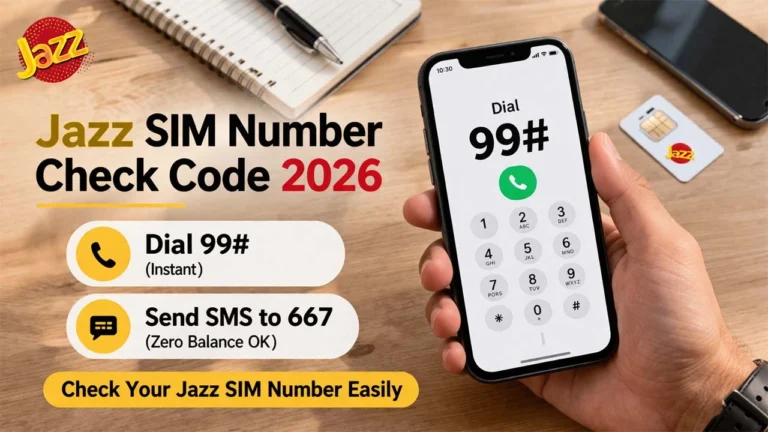
- Dial *99#.
- Press the call button.
The Result:
A pop-up window (USSD flash message) will appear instantly showing your mobile number and the partial or full CNIC registered to it. This is great for a quick check if you’re trying to fill out a form and can’t remember your exact registration details.
Method 3: The PTA 668 Service
This is the most important method for security. While Method 1 and 2 tell you about one SIM, the 668 service tells you how many SIMs are registered against your CNIC across all networks (Jazz, Zong, Telenor, Ufone).
How to do it:
- Type your 13-digit CNIC number (without any dashes or spaces).
- Send it to 668.
- You’ll get a breakdown:
- Jazz: 2
- Telenor: 1
- Zong: 0
- Ufone: 1
If the numbers don’t add up for example, if it says you have 3 Jazz SIMs but you only use one you need to visit a Jazz Franchise immediately to “disown” those extra numbers. In 2026, PTA rules allow a maximum of 5 voice SIMs and 3 data SIMs per CNIC. Exceeding this can lead to all your numbers being blocked.
Method 4: The Jazz World App
If you’re a smartphone user, the Jazz World App is actually quite powerful. I use it to manage my data buckets, but it also has a “User Profile” section.
Instructions:
- Download and log in to the Jazz World app using your number.
- Tap on the “Menu” or “More” icon at the bottom right.
- Go to “View Profile”.
- Here, you can see the name and CNIC associated with the account.
The beauty of the app is that it often shows you other numbers linked to the same CNIC under a “Linked Accounts” or “Switch Account” feature, making it easy to manage your family’s SIMs if they are in your name.
Using the Official PTA Web Portal Online
If you don’t have a phone handy but have a laptop, you can use the SIM Information System (SIS) portal.
- Visit cnic.sims.pk.
- Enter your CNIC number.
- Verify the CAPTCHA.
- Submit.
It gives you the same information as the 668 SMS but in a visual table format. I usually take a screenshot of this every few months and save it in my “Digital Identity” folder.
Common Mistakes to Avoid
In my experience helping people with their tech issues, I’ve seen these three mistakes happen constantly:
- Using Third-Party “Tracker” Apps: You’ll see dozens of apps on the Play Store claiming to give you “Full SIM Database Access.” Do not use them. Most of these are just data harvesters that steal your contacts. They use old, leaked databases from 2018-2022 that are often inaccurate in 2026. Stick to official Jazz and PTA channels.
- Forgetting the “MNP” Step: If you ported your number from Telenor to Jazz, sometimes the 667 info might take a while to update, or the system might show the original network. If you just ported, give it 48 hours before checking owner details.
- Ignoring “Unknown” SIMs: People often think, “Oh, that extra SIM must be an old one I lost.” No. If you don’t physically have the SIM, disown it. If that SIM is used for anything illegal, the police won’t come looking for the person who has the SIM; they’ll come looking for the person whose CNIC is on the record.
What to do if the details are wrong?
If you find a SIM is in your name but you didn’t buy it, or if your name is misspelled:
- Visit a Franchise: You cannot fix registration errors via call or SMS. You need a Biometric Verification (BVS).
- Bring your original CNIC: Photocopies won’t work for biometric updates.
- Ask for a “SIM Count Printout”: This is a formal document showing all numbers in your name.
Staying on top of your Jazz SIM owner details isn’t just about knowing your number; it’s about protecting your identity in an increasingly digital Pakistan. Take five minutes today, send that SMS to 668, and make sure your digital house is in order.
Frequently Asked Questions (FAQs.)
How can I check my Jazz SIM owner name for free?
Technically, the *99# USSD code is the only “free” way to see the number and sometimes the linked CNIC on your screen immediately. However, to get the full name, you generally need to send MNP to 667. While this usually costs about 2–3 PKR, it is the most reliable way to get the registered name and activation date delivered to your inbox.
Can I check someone else’s SIM owner details with just their number?
No. For privacy and security reasons, PTA does not allow you to see the owner name of a number you don’t physically possess. Beware of “SIM Tracker” websites or apps that claim to do this; in 2026, these are almost always scams designed to steal your data. The only legal way to find out who an unknown number belongs to is by reporting it to the authorities (FIA or PTA) if you are being harassed.
What is the limit for SIMs on one CNIC in 2026?
According to the latest PTA guidelines, a single person can have a maximum of 8 SIMs in total:
5 Voice SIMs (for calls and SMS).
3 Data-only SIMs (for MBB devices or tablets).If you exceed this, PTA will start blocking your numbers starting with the most recently activated ones.
Why did I get a “No Record Found” message from 667?
This usually happens if the SIM is very new (activated within the last 24–48 hours) and the database hasn’t updated yet. It can also happen if the SIM was issued through an older, non-biometric system that has since been purged. If you get this error, visit a Jazz Franchise with your original CNIC to re verify.
Can I check my Jazz SIM details online without an SMS?
Yes, you can use the SIM Information System portal at cnic.sims.pk. By entering your CNIC, you can see the total count of SIMs registered to you across all networks. For specific Jazz details like your balance and profile name, the SIMOSA (formerly Jazz World) app is the best online tool.
I found an unknown SIM registered on my CNIC. What should I do?
Don’t ignore it. In 2026, you are legally responsible for any activity linked to your CNIC. You must visit a Jazz Customer Service Center or Franchise, perform a biometric verification, and request to “disown” the number. Once disowned, that SIM will be deactivated permanently.
How do I change the ownership of a Jazz SIM?
Ownership transfer requires both the current owner and the new owner to visit a Jazz Franchise together. Both must have their original CNICs and perform biometric thumb scans. If the current owner is deceased, you will need the original SIM, the Death Certificate, and a Family Registration Certificate (FRC) to transfer it to a legal heir.
Is there a way to check if my SIM is biometrically verified?
Yes. Dial *6001# (for Jazz) or send your CNIC to 6001. You will receive a message confirming whether your number is “BVS Verified.” If it isn’t, your SIM is at high risk of being blocked during the next PTA audit.
Does checking my SIM details affect my JazzCash account?
Checking your details doesn’t affect your account, but changing them does. If you transfer your SIM to another person, the JazzCash account linked to that number must be closed or transferred separately. Always clear your JazzCash balance before changing SIM ownership.
Can I check SCOM or other network details from my Jazz SIM?
You can check the count of SIMs on other networks by sending your CNIC to 668. However, you cannot check the owner name of a Zong or Telenor SIM by sending an SMS from a Jazz SIM. You must send the “MNP” text to 667 from a SIM belonging to that specific network.