How to Check Ufone Balance in 2026 All Methods
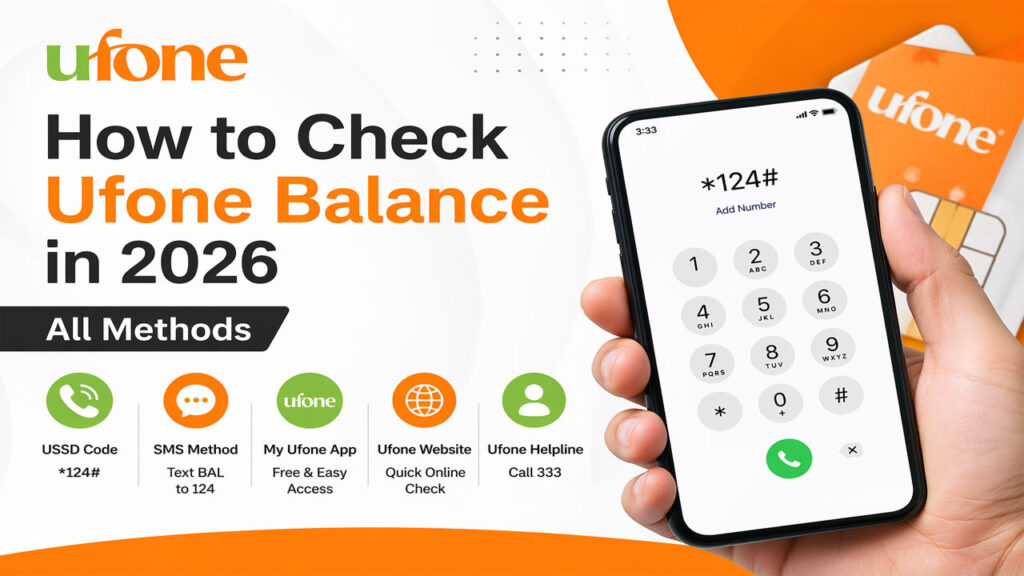
How to Check Ufone Balance in 2026 All Methods. In the fast-paced digital world of 2026, staying connected is more important than ever. Whether you’re a prepaid user keeping tabs on your calls and internet bundles or a postpaid customer monitoring monthly usage, knowing how to check Ufone balance quickly and accurately is a daily necessity. Ufone, one of Pakistan’s leading telecom operators, has evolved its services, introducing new USSD codes, app features, and even voice activated methods.
But let’s face it with so many options (USSD codes, SMS, mobile apps, online portals, and even customer service), it’s easy to get confused. Which method works in 2026? What’s the fastest way to check your remaining data? Can you check someone else’s balance? And how does Ufone’s system interact with NADRA’s SIM database?
Why Checking Your Ufone Balance Matters in 2026
You might think, “I just need to know my balance why a long article?” But in 2026, your “balance” is no longer just call credit. It includes:
- Main account balance (for calls, SMS, and standard internet)
- Data bundles (daily, weekly, monthly, or super cards)
- Night packages (Ufone Night Owl, etc.)
- SMS packages
- Minutes to other networks (off-net minutes)
- Subscription services (like weekly WhatsApp+ packages)
If you don’t monitor these, you could run out of data mid-zoom call or get charged expensive pay-as-you-go rates. Worse, unauthorized subscriptions can drain your balance without notice.
Moreover, with increased SIM fraud and ghost registrations in Pakistan (as highlighted by PTA and NADRA), it’s wise to regularly verify that your Ufone SIM is registered only in your name. You can do that quickly using SIM Owner Details at https://simownerxyz.com/, which we’ll explain later.
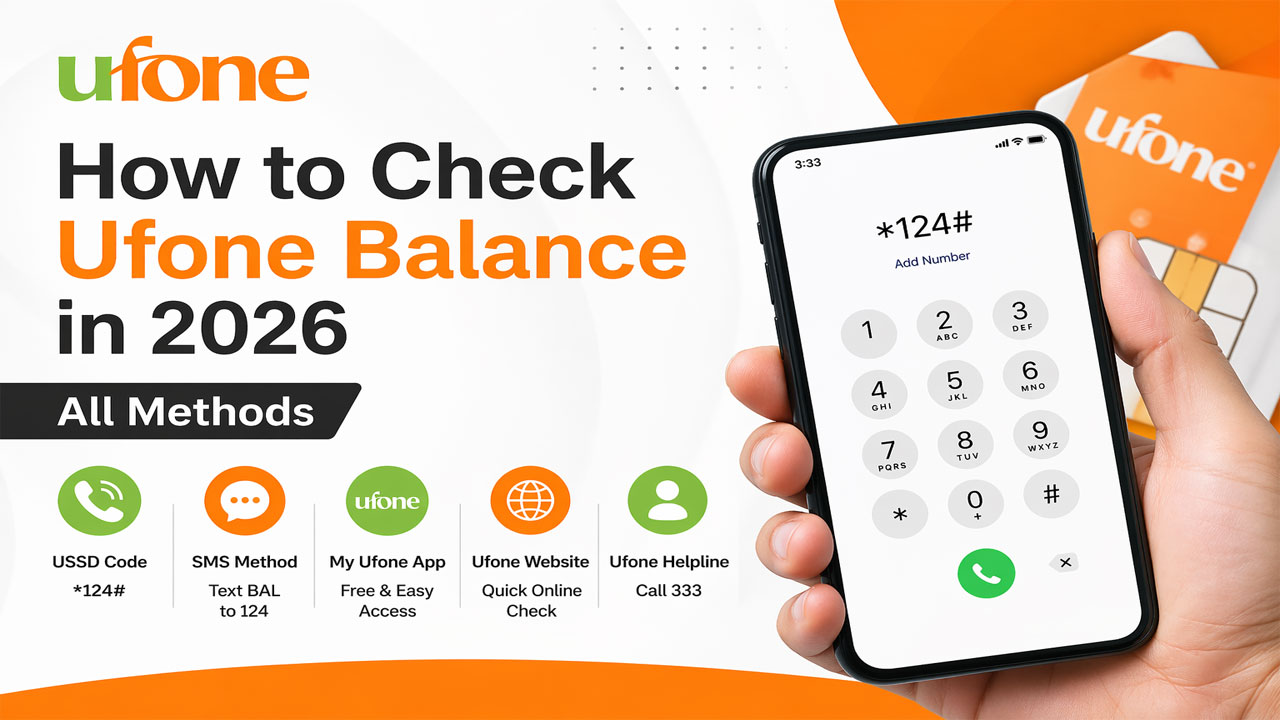
Method 1: The Classic USSD Code – *124#
The most popular and fastest way to check Ufone balance remains the USSD code method. In 2026, Ufone has kept it simple and reliable.
Step-by-step:
- Open your phone’s dialer (keypad).
- Dial: *124#
- Press the call button.
- Within seconds, a pop-up window or flash message will appear showing:
- Main balance (in PKR)
- Last recharge amount
- Expiry date (for prepaid)
- Sometimes remaining data or minutes (depending on bundle)
✅ Pro tip: Save *124# as a contact named “Ufone Balance” for quick access.
What if *124# doesn’t work?
- Ensure you have network signal (look for “Ufone” or “UF” on your screen).
- Restart your phone.
- If still fails, try the alternate code: *310# (works on some older SIMs).
- Or dial *8# (this one also shows your own Ufone number).
Important note for postpaid users:
*124# on postpaid usually shows remaining usage (minutes, SMS, data left) rather than monetary balance. For exact bill amount, use method #4.
Method 2: Ufone’s Official App – Ufone App 2026
Ufone has completely revamped its mobile app for 2026. It’s now called “Ufone App 2026” (available on Google Play Store and Apple App Store).
How to check balance using the app:
- Download and install “Ufone App 2026”.
- Register using your Ufone number (OTP verification).
- On the dashboard, you’ll see:
- Main balance (big font)
- Active bundles with remaining data/minutes
- Validity date
- Recent transactions
Advantages of the app:
- Detailed breakdown – See exactly where your credit went.
- Usage history – Last 30 days of calls, SMS, data.
- Auto-check – Set up daily balance alerts via notification.
- Recharge directly – Without scratching a card.
- Manage subscriptions – Unsubscribe from unwanted services.
🔒 Security tip: The app also allows you to see how many SIMs are registered on your CNIC. However, for a more comprehensive check across all networks (Jazz, Zong, Telenor, Ufone), you can use the CNIC Information System at https://simownerxyz.com/.
Method 3: SMS Based Balance Inquiry
Prefer text over USSD? Ufone supports SMS balance checking, though it’s less common in 2026. Still, it works.
Steps:
- Open SMS app.
- Create a new message.
- Type: BAL (case insensitive)
- Send to 667
Within a minute, you’ll receive an SMS with your main balance and expiry date.
⚠️ Note: This SMS is usually charged (around Rs. 0.50 + tax), whereas USSD *124# is free. So use *124# whenever possible.
Alternative SMS code:
Some users report sending “MB” to 667 gives remaining data balance. Try it – but the official method is “BAL”.
Method 4: Ufone Website & Self-Care Portal
For postpaid users or those who want a desktop experience, the Ufone website offers a Self-Care portal.
Steps:
- Visit www.ufone.com (make sure it’s the 2026 version).
- Click on “Self Care” or “My Account”.
- Enter your Ufone number and request OTP.
- Once logged in, you can view:
- Current balance / unbilled usage
- Bill history (for postpaid)
- Package details
- Number of SIMs issued on your CNIC (limited view)
Limitation:
The website does not allow checking balance of another Ufone number. For that, you’d need third-party tools like SIM Owner Details, which we’ll discuss in section 9.
Method 5: Call Customer Support (333)
When all else fails (e.g., no smartphone, no internet, USSD not responding), call Ufone helpline.
- Dial 333 from your Ufone SIM (toll-free)
- Follow the IVR (Interactive Voice Response) – usually press 1 for balance inquiry.
- Or say “Balance check” if the system supports voice recognition (Ufone introduced this in late 2025).
For non-Ufone numbers (landline or other network):
Dial 0333 333 0333 (charges apply as per your network’s rates).
⏱ Wait time: In 2026, average wait time is 2-3 minutes. Faster than previous years.
Method 6: Voice Assistant & Smart Speaker Commands
Yes, in 2026 you can ask Siri, Google Assistant, or even Alexa to check your Ufone balance – but with a catch.
How to set it up:
- Install the Ufone App 2026.
- Grant it permission to work with Google Assistant / Siri.
- Then say:
“Hey Google, ask Ufone for my balance”
or
“Siri, Ufone balance check”
The assistant will read out your main balance and remaining data.
🧠 Note: This only works if your phone is unlocked and the app is logged in. It’s not a direct network query.
How to Check Ufone Internet / Data Balance Separately
Many users ask: “I know my main balance, but how much data is left in my weekly bundle?”
Here are three ways:
A. Using *706#
- Dial *706#
- You’ll receive a flash message showing:
- Remaining MB/GB of your active data package
- Days left in package validity
B. Using *124# (newer SIMs)
On SIMs issued after 2024, *124# automatically shows data balance alongside main balance.
C. Via Ufone App – Data Usage Tab
Most detailed: see exactly which apps used how much data.
D. SMS “DATA” to 667
Send the word DATA to 667. You’ll get an SMS with your remaining data bundle details. (Standard SMS charges apply.)
How to Check Ufone Postpaid Bill & Usage
Postpaid users have a different “balance” concept – it’s about unbilled usage and current bill.
Methods:
- *USSD 124# – Shows remaining minutes, SMS, and data from your package limit.
- Ufone App – Shows current charges since last bill date.
- SMS “BILL” to 667 – Receive last month’s bill amount.
- Call 333 – Option 2 for postpaid inquiries.
To avoid bill shock:
Set up usage alerts in the Ufone App. You’ll get an SMS when you cross 50%, 80%, and 100% of your package limits.
How to Check Ufone Number’s Owner Name (Using SIM Owner Details)
Sometimes you need more than just balance you need to know who owns a particular Ufone number. Maybe it’s an unknown missed call, a suspicious text, or you want to verify a business contact.
Ufone itself does not provide a public “owner name lookup” for privacy reasons. However, there are legal and ethical ways to identify SIM ownership using online SIM database tools.
One of the most reliable platforms in Pakistan for 2026 is SIM Owner Details. Here’s how it works:
Step-by-step to check any Ufone number’s owner:
- Visit www.simownerxyz.com
- On the homepage, enter the 11-digit Ufone number (e.g., 03331234567)
- Click “Search”
- Within seconds, you’ll see:
- Registered owner’s name (as per NADRA record)
- CNIC number (masked for privacy)
- City / district of registration
- Network (confirmed as Ufone or ported-in)
✅ This tool uses the 2026 Fresh SIM Database, which includes new number series like 0370, 0319, and even eSIMs.
Why would you need this?
- Identify spam callers – Before blocking, know if it’s a genuine call or a telemarketer.
- Verify delivery riders or service providers – Safety first.
- Check if a number is still owned by the same person – Useful for old contacts.
- Find out how many SIMs are registered on your own CNIC – Including Ufone, Jazz, Zong, Telenor.
The CNIC Information feature on SIM Owner Details is particularly powerful. Just enter your 13-digit CNIC (without dashes), and it will list all mobile numbers registered against it across all networks. This helps detect ghost SIMs – unauthorized connections opened fraudulently in your name.
🔗 Interlink suggestion: If you’re managing multiple SIMs or want to ensure your Ufone number is correctly registered, use SIM Owner Details’ CNIC tool.
How to Check SIMs Registered on Your CNIC (Ufone & Others)
This is a critical digital hygiene practice in 2026. According to PTA, an individual can have a maximum of 8 SIMs (5 voice + 3 data). But fraudsters sometimes register SIMs on your CNIC without your knowledge.
Official PTA method (SMS to 668):
- Send your CNIC number (without dashes) to 668.
- You’ll receive an SMS listing the total number of SIMs issued on your CNIC – but not the actual numbers or network names.
Better method: Use SIM Owner Details
- Go to https://simownerxyz.com/
- Select “CNIC Search” tool.
- Enter your 13-digit CNIC (e.g., 1234512345671).
- Click search.
- You’ll see a complete list of:
- Mobile numbers (each with network name: Ufone, Jazz, etc.)
- Owner name (should match yours)
- Activation date (approx.)
If you see any number you don’t recognize, visit the nearest Ufone franchise (or respective network’s service center) with your original CNIC and request to block the unauthorized SIM.
⚠️ Legal note: Use this data only for your own verification or to identify anonymous callers. Harassment or stalking using SIM information is a crime under PECA.
Ufone Balance Check vs. Jazz, Zong, Telenor – A Comparison
How does Ufone stack up against other networks in terms of ease of balance checking?
| Feature | Ufone | Jazz | Zong | Telenor |
|---|---|---|---|---|
| Main balance USSD | *124# | *111# | *222# | *444# |
| Data balance USSD | *706# | *117# | *102# | *999# |
| Dedicated app | Ufone App 2026 | JazzWorld | Zong App | Telenor App |
| SMS balance | BAL to 667 | 667 (empty SMS) | 667 (empty SMS) | 775 (CNIC for details) |
| Owner name lookup | Not available | Not available | Not available | Not available |
| Third-party lookup | SIM Owner Details | SIM Owner Details | SIM Owner Details | SIM Owner Details |
As you can see, while USSD codes differ, the convenience of checking your own balance is similar across all networks. However, identifying unknown numbers or checking SIMs on your CNIC is where SIM Owner Details becomes indispensable.
Troubleshooting: Why Can’t I Check My Balance?
Experiencing issues? Here are common reasons and fixes:
*124# gives “Connection problem” or “Invalid MMI code”
- Fix: Dial exactly *124# (not *124* or #124#). Ensure you’re on Ufone network, not roaming on another operator.
No response after dialing code
- Fix: Restart phone. Toggle Airplane mode on/off. Remove SIM, clean it, reinsert.
App shows “Service unavailable”
- Fix: Update Ufone App. Clear app cache. Check if your SIM has active internet (Wi-Fi alone won’t work for app-based balance check – it uses cellular data for authentication).
SMS to 667 not delivered
- Fix: Ensure you have at least Rs. 1 balance (for SMS charge). Try sending to 667 from another network (may not work – 667 is Ufone’s shortcode).
I see wrong owner name for my Ufone number on SIM Owner Details
- Fix: Visit Ufone service center with CNIC to update biometric records. Then recheck after 48 hours. The fresh database will reflect the correction.
Frequently Asked Questions (FAQs)
How to check Ufone balance in 2026 without internet?
Use USSD code *124# – no internet needed. Works on any phone.
What is the new code to check Ufone number?
Dial *8# – it shows your own Ufone number and sometimes remaining balance.
How can I check another Ufone number’s balance?
You cannot directly check another person’s balance via USSD or app (privacy). However, to identify who owns another Ufone number, use SIM Owner Details.
How to check Ufone remaining data?
Dial *706# or send “DATA” to 667
How to check Ufone prepaid balance expiry date?
Dial *124# – it shows both balance and expiry. Or send “EXP” to 667.
Does *124# work on Ufone postpaid?
Yes, but it shows remaining usage (minutes, SMS, data) rather than monetary balance.
How to check Ufone SIM owner name online for free?
Use the free search at https://simownerxyz.com/. Enter the mobile number to see the registered name, CNIC, and city.
How many SIMs can I have on my CNIC with Ufone?
Maximum 8 total across all networks (5 voice + 3 data). Ufone alone may issue up to 5 voice SIMs per CNIC if you don’t have other networks.
Can I check my Ufone balance from another phone?
Yes, but not directly. You can call 0333 333 0333 from any phone, follow IVR, and enter your Ufone number to hear balance (requires your SIM’s PIN or last recharge info for security).
How to check Ufone balance via missed call?
Ufone does not have a missed call balance service. Use *124# or the app.
Is simownerxyz.com legal to use?
Yes, for personal verification and identifying spam callers. Misuse for harassment or fraud is illegal under PECA. The site uses publicly accessible SIM registration data aggregated from telecom sources.
How often is the SIM database updated on simownerxyz.com?
The 2026 Fresh Database is updated daily to include new number series, MNP porting, and recent biometric registrations. This is more current than many older trackers like rashidminhas.com.pk.
What should I do if I find a ghost SIM on my CNIC?
Immediately visit the respective network’s franchise (e.g., Ufone if it’s a Ufone number) with your CNIC and request blocking. Also, file a complaint with PTA via their website.
How to check Ufone balance in English (not Urdu)?
Most USSD responses are in English by default. If you see Urdu, change your phone’s language to English and retry. The app also has language settings.
Can I check my Ufone balance on Apple Watch?
If you have the Ufone App 2026 on your paired iPhone, you can use the watch complication to view balance (though it’s a bit small). USSD codes don’t work on cellular watch directly.
Pro Tips to Save Money & Avoid Hidden Charges
Now that you know how to check balance, here’s how to keep more of it:
💡 Tip 1: Know your bundle expiry before it’s too late
Use *124# daily if you’re on a short-term package. Many users lose unused data because they forget expiry dates.
💡 Tip 2: Turn off auto-renewals
Some Ufone packages auto-renew. Check active subscriptions by dialing *123# and unsubscribe if not needed.
💡 Tip 3: Use SIM Owner Details to audit your CNIC
Fraudulent SIMs can be used to deduct balance or commit crimes. Run a CNIC check every 6 months on SIM Owner Details.
💡 Tip 4: Avoid balance check SMS (667) – use *124# instead
Each SMS to 667 costs around Rs. 0.50+. If you check balance 30 times a month, that’s Rs. 15 wasted.
💡 Tip 5: Set low balance alert in Ufone App
Go to Settings → Alerts → “Notify me when balance falls below Rs. 10”. You’ll get a free SMS.
💡 Tip 6: For postpaid, check unbilled usage every 3 days
Log into Ufone Self-Care or app to avoid crossing your limit unknowingly.
💡 Tip 7: If you frequently forget balance, use a widget
The Ufone App 2026 has a home screen widget (Android) that shows balance without opening the app.