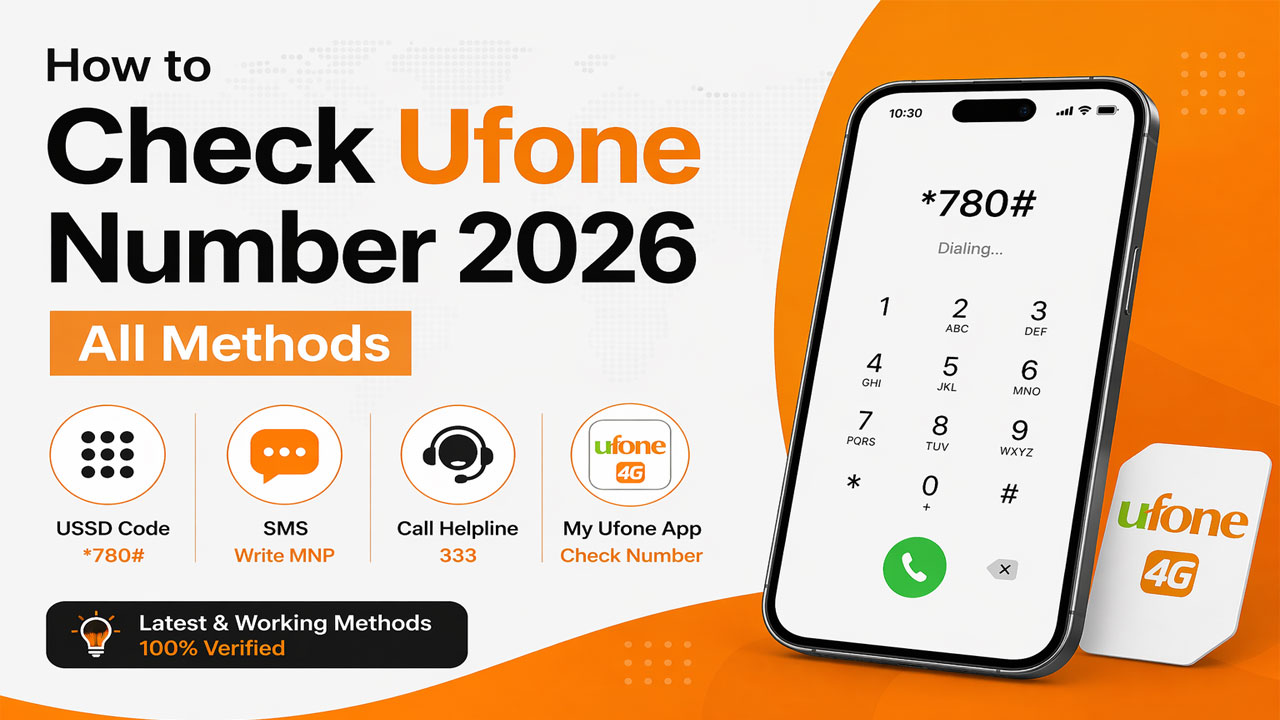
How to Check Ufone Number 2026: All Methods
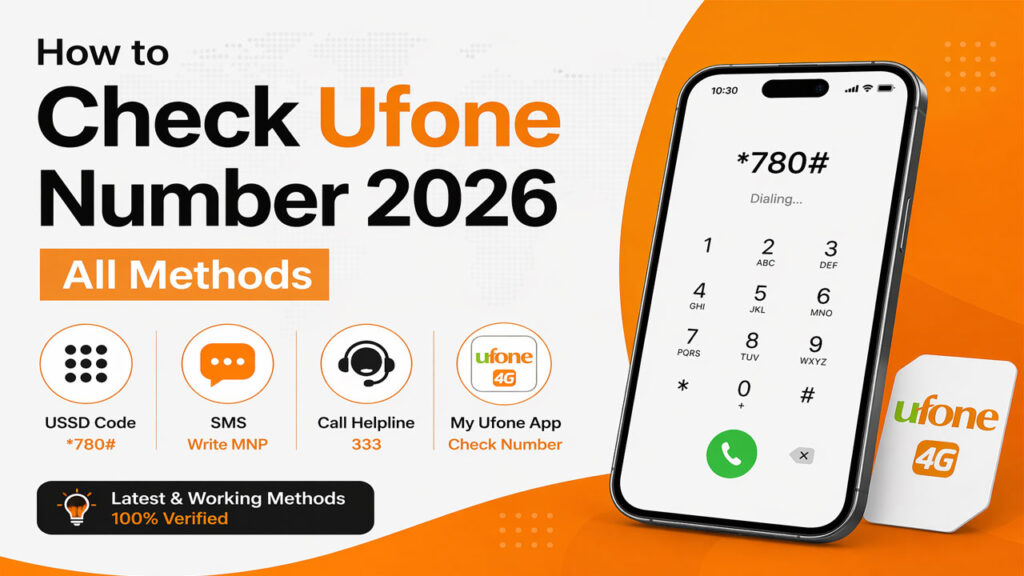
How to Check Ufone Number 2026: All Methods. We have all been there. You just bought a new prepaid SIM card, or perhaps you dusted off an old phone, and your mind goes blank. You ask yourself, “What is my own mobile number?”
It sounds silly, but in today’s world of saving contacts on cloud storage instead of SIM cards, forgetting your own Ufone number is surprisingly common. Fortunately, Pakistan Telecommunication Authority (PTA) and Ufone have made it incredibly easy to retrieve your number, often for free.
This comprehensive guide will walk you through every possible way to check your Ufone number in 2026. Whether you have zero balance, a blocked SIM, or a fancy smartphone, we have a solution for you. We will cover USSD codes, SMS methods, helpline support, and even online portals.
Let’s dive into the ultimate resource for Ufone number inquiry.
Why Would You Need to Check Your Ufone Number?
Before we jump into the codes, it is important to understand that you are not alone. Thousands of Pakistanis search for “Ufone number check code” daily. Here are the most common scenarios:
- New SIM Activation: You just got a new connection but forgot the number the franchise allotted you.
- Dual SIM Phones: You have two SIMs (e.g., Jazz and Ufone), and you cannot remember which slot holds which number.
- Traveling Abroad: You are roaming and need to tell a family member your local Pakistani number.
- Recharging: You need your number to recharge via Easypaisa or JazzCash, but you don’t have the SIM pack anymore.
- Sharing Contact Info: You need to give your number to a colleague or friend, but your phone battery is dead, or you cannot access your contacts.
Whatever your reason, the solutions below are designed to work instantly.
The Fastest Way: Ufone Number Check Code 2026 (USSD Codes)
The quickest method to find your Ufone number is using a USSD code. This is like dialing a secret number that triggers the network to respond with your details. These codes work even if you have zero balance, as network inquiry services are generally free.
Method 1: The Universal Code (*1#)
This is the most popular and widely recommended code for 2026.
- The Code:
*1# - How to do it: Open your phone’s dialer (keypad) and type
*1#just like you are making a call. - Result: A pop-up window will immediately appear on your screen displaying your Ufone number.
Method 2: The Secondary Code (*780*3#)
If for some reason *1# does not work on your device (sometimes older phones have glitches), try the secondary code.
- The Code:
*780*3# - How to do it: Dial
*780*3#and press the call button. - Result: Your phone number will flash on the screen instantly.
Method 3: The Balance Check Code (*707#)
Technically, this code is for checking your balance, but Ufone’s interface usually displays your mobile number at the top of the balance summary.
- The Code:
*707# - How to do it: Dial
*707#. - Result: You will see your remaining balance, expiry date, and your phone number listed at the top.
Troubleshooting USSD Codes
Sometimes you might see an error like “Connection problem” or “Invalid MMI code.” Here is how to fix that:
- Wait a few seconds: If you dial too fast, the network might lag.
- Restart your phone: A simple reboot often fixes network registration issues.
- Check Signal: Ensure you have at least one bar of signal. USSD codes will not work if you are in “Emergency Calls Only” mode.
Alternative Method: SMS Number Inquiry (MNP to 667)
If the dialer codes are not working (rare, but it happens), you can use the SMS method. This is also useful if you want to verify the ownership details (like the name on the SIM), not just the number.
How to Send the SMS:
- Open the “Messages” app on your phone.
- Create a new text message.
- In the body of the message, type MNP (must be in capital letters, though sometimes lowercase works).
- Send this message to 667.
- Within a few seconds to a minute, you will receive a reply SMS containing:
Important Note: While some sources claim this is free, others indicate a nominal SMS charge applies based on your package. However, for the purpose of finding your number in an emergency, it is worth the 1-2 rupee charge.
Calling Customer Support (Helpline 333)
For those who are not tech-savvy or prefer speaking to a human, Ufone’s customer helpline is the best bet. This method is 100% reliable because a human verifies your identity.
Step-by-Step Guide to Call 333
- Dial 333 from your Ufone SIM.
- Listen to the IVR (Interactive Voice Response). You might hear Urdu or English prompts.
- You can either wait for the automated system to read out your number (some IVR systems have a “My Number” option) or press “0” to speak to a customer service representative (CSR).
- When the agent answers, politely say: “Mujhe apna Ufone number check karna hai” (I want to check my Ufone number).
- The agent will ask for your CNIC number (Computerized National Identity Card) or ask you to verify your mother’s name to prove ownership.
- Once verified, they will tell you your number.
Note: Calling from a non-Ufone number? If you are using a Jazz or Zong SIM to call Ufone support, dial 0331-1333100 instead of 333.
Also Read: How to Check Your Zong Number in 2026: 100% Working Codes
Advanced Verification: Checking SIM Owner Details (CNIC & Name)
Sometimes you don’t just need the number; you need to verify if the SIM is registered under your name. This is crucial if you buy a SIM from a local shop and want to ensure it hasn’t been fraudulently activated on someone else’s ID.
The Code: *336*1*2#
Ufone offers a specific code for checking the SIM ownership data.
- The Code:
*336*1*2# - How to do it: Dial this code from your Ufone number.
- Result: The screen will display the Name of the person to whom the SIM is registered and the last few digits of the CNIC.
Why is this important in 2026?
With the PTA’s strict policies on SIM blocking (Biometric Verification), you must ensure your SIM is registered to you. If you dial *336*1*2# and see a stranger’s name, you need to visit an Ufone franchise immediately to transfer the ownership; otherwise, your SIM will be blocked.
Digital Methods: WhatsApp and Online Support
Ufone has embraced digital transformation. In 2026, you don’t always need to dial codes; you can use the internet.
Ufone WhatsApp Bot
Ufone has an official WhatsApp number that can provide you with your SIM information.
- Save the number 0331-1333100 in your contacts.
- Open WhatsApp and start a chat with this number.
- Send “Hi” or “Hello”.
- The automated bot will present a menu. Reply with the number corresponding to “Account Info” or “My Number”.
- The bot will ask for your CNIC number. Once you provide it, it will send you your active Ufone number.
Ufone Official App (My Ufone App)
If you have access to mobile data or WiFi, downloading the official app is the best long-term solution.
- Go to Google Play Store or Apple App Store.
- Download the “My Ufone” app.
- Open the app. It will automatically detect the SIM in your phone.
- Your mobile number is displayed prominently on the dashboard (usually at the top right or center).
Special 2026 Offers: Free Balance and Bonus (Rs. 250 Offer)
Now that you know your number, why not check if you have free money waiting for you? As of 2026, Ufone is running aggressive promotions to encourage monthly bundle usage.
How to Get Rs. 250 Free Balance
There is a specific code to unlock free balance when you buy a monthly package:
- Dial *326# from your Ufone SIM.
- A menu of monthly packages will appear. Select any monthly bundle (even the smallest one).
- Upon successful subscription, you will receive an instant bonus of Rs. 250 in your account.
Pro Tip: This Rs. 250 is often “Bonus Balance,” which means it can be used for calls, SMS, and data but may not be usable for international calls or value-added services.
The “Info” SMS to 666
If you want a summary of your current plan and number, simply:
- Send a blank SMS or type “Info” to 666.
- Ufone will reply with your number, current package, and remaining resources.
Quick Reference: Ufone Code List 2026
To make things easy for you, here is a handy cheat sheet. Save this table or bookmark this page!
| Service Required | Code / Number | Action |
|---|---|---|
| Check My Number | *1# | Dial and see pop-up |
| Check My Number (Alternate) | *780*3# | Dial and see pop-up |
| Check Balance | *707# | Shows number + balance |
| Check SIM Owner Name/CNIC | *336*1*2# | Shows registration details |
| Get Rs. 250 Bonus | *326# | Subscribe to monthly bundle |
| SMS Inquiry | Type “MNP” to 667 | Receive number via SMS |
| Customer Helpline | 333 (Ufone) or 0331-1333100 (Other nets) | Call for help |
| WhatsApp Support | 0331-1333100 | Chat with bot |
Frequently Asked Questions
How can I check my Ufone number without balance?
What is the Ufone number check code for 2026?
How to check Ufone SIM number via SMS?
How do I check my SIM owner name and CNIC on Ufone?
Is *1# free for Ufone?
Can I check my Ufone number if my SIM is blocked?
If your SIM is blocked due to non-biometric verification (a common issue in Pakistan), you may not be able to use USSD codes. In this case, you must physically visit an Ufone service center with your original CNIC to unblock the SIM and retrieve the number.
How to check Ufone number on iPhone?
What is the difference between *1# and *780*3#?
There is no functional difference. Ufone maintains multiple shortcodes for redundancy. If one code is undergoing maintenance or experiences a network glitch, the other will work. Both serve the same purpose: to display your Ufone number.
How to check Ufone balance in 2026?
Troubleshooting Common Issues
Even with simple codes, things can go wrong. Here is how to fix the most common errors.
Issue 1: “Invalid MMI Code” Error
- Problem: You dial the code, and the phone instantly throws an error without contacting the network.
- Solution: This is often a phone software issue. Add a pause or a comma after the code (e.g.,
*1#,). Alternatively, disable “Call Assistant” or “Caller ID” apps that might intercept the code.
Issue 2: SIM Not Registered on Network
- Problem: You try to dial
*1#, but it says “Not registered on network.” - Solution: This means your physical SIM card is inactive. You might have removed it or the SIM is expired. You will need to contact Ufone helpline (333) from another phone or visit a franchise to get a duplicate SIM.
Issue 3: Forgetting Number When Roaming Internationally
- Problem: You are in Saudi Arabia or the UAE and need your Pakistani Ufone number, but the codes don’t work because you are on a roaming partner network.
- Solution: Turn on Airplane mode, then turn on WiFi. Use the My Ufone App or WhatsApp Bot (0331-1333100) over WiFi. The app will show your number without needing cellular signal.
Security Warning: Protecting Your Ufone SIM
Now that you know how to check your number and owner details, it is crucial to address security.
Do not share OTPs: While checking your number via helpline, the agent will ask for your CNIC number. They will never ask for your 6-digit transfer PIN or OTP (One Time Password).
SIM Swapping Fraud: If someone asks you to dial *336*1*2# and read them the “code,” do not do it. This code reveals your personal data. Only use these codes for your own knowledge, not to share with strangers.
Conclusion
Checking your Ufone number in 2026 is a straightforward process, thanks to the multiple layers of support offered by the network. Whether you prefer the instant gratification of the USSD code *1#, the detail-oriented SMS method to 667, or the human touch of calling 333, you have no excuse to ever forget your number again.
Quick Recap for 2026:
- Fastest: Dial
*1#. - Most Detailed: SMS “MNP” to 667.
- Bonus Hunter: Dial
*326#to get Rs. 250. - Owner Info: Dial
*336*1*2#.
Bookmark this guide and share it with friends who use Ufone. If you are looking for more ways to save money, you might also want to explore tools to check your data usage or compare simownerxyz services for managing multiple SIM cards efficiently.