How to Check Your Zong Number in 2026: 100% Working Codes
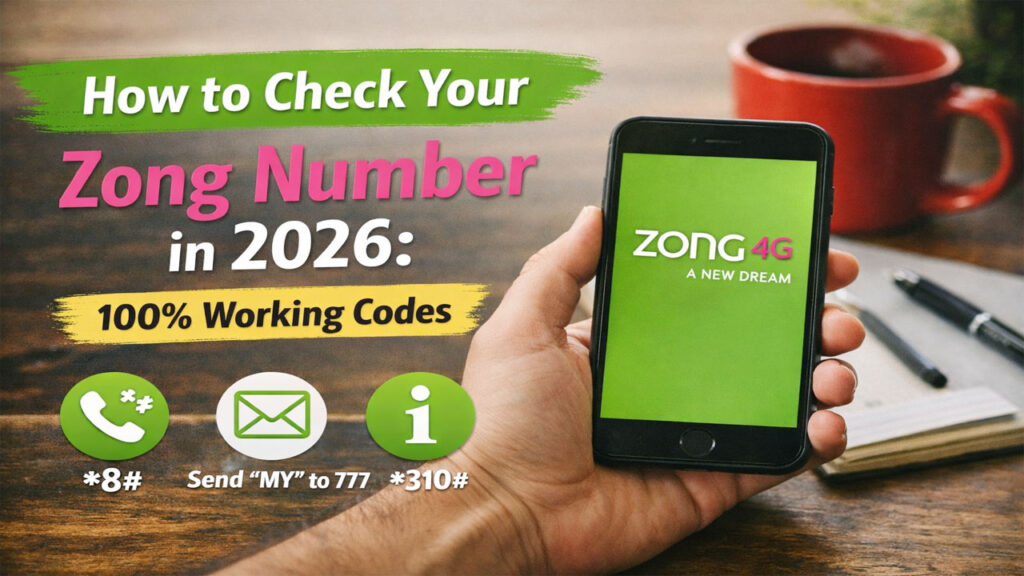
How to Check Your Zong Number in 2026: 100% Working Codes. We have all been there. You just bought a new Zong SIM, or perhaps you dusted off an old phone from your drawer. You pop the SIM in, and suddenly your mind goes blank. What is my number?
In the fast-paced digital world of Pakistan, your mobile number is your identity. It’s linked to your bank accounts, your CNIC, your SIM owner details, and your social media. Forgetting it can be a headache, but luckily, Zong has made it incredibly easy to find it.
Whether you are a 4G bolt user, a prepaid customer, or managing a postpaid connection, this guide covers every possible way to check your Zong number in 2026.
We will explore USSD codes, the official My Zong App, SMS portals, and even online verification methods. Plus, we will dig into the legal side of things how to verify SIM owner details and what to do if you lose your phone.
Let’s dive in and make sure you never have to ask “What is my Zong number?” again.
How to Check Your Zong Number
If you are in a hurry and just need the code, here is the fastest way to check your Zong number in 2026:
Dial
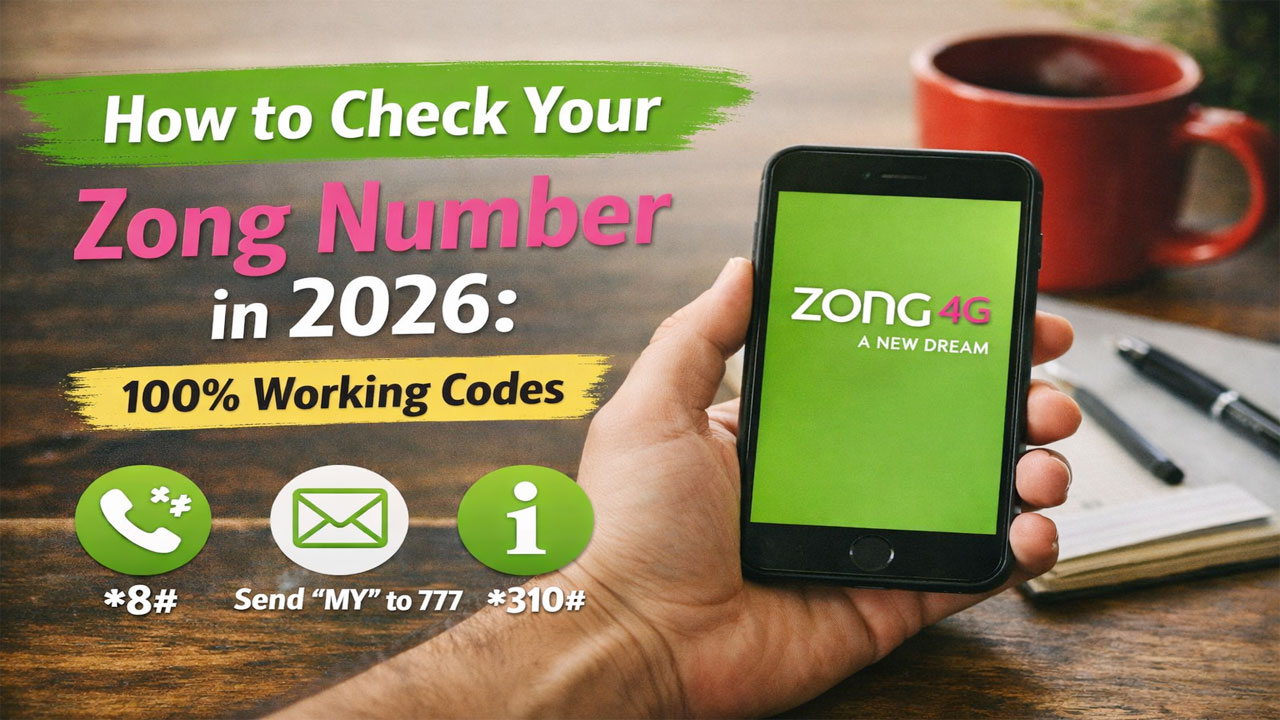
*8#on your Zong SIM.Your number will appear on the screen instantly. This code works even if you have zero balance or no internet connection.
Alternatively, you can also dial *100# for the same result. These are the official Zong SIM check codes provided by the network.
Method 1: The USSD Codes (Fastest & Free)
USSD (Unstructured Supplementary Service Data) codes are like secret commands you type into your phone’s dialer. They are the backbone of telecom services in Pakistan because they require zero internet and work on even the oldest Nokia phones.
The Primary Code: *8#
As mentioned, *8# is the most reliable method in 2026. When you dial this, the network pings the server and pushes a pop-up notification (or a flash message) displaying your phone number.
Step-by-Step:
- Open your phone’s keypad (where you dial numbers).
- Type exactly:
*8# - Press the call button.
- A pop-up window will appear instantly with your Zong number.
The Secondary Code: *100#
If for some reason *8# doesn’t work on your device (rare, but possible on some custom Android skins), try *100#. This serves the same function and is part of Zong’s legacy code system.
The Hidden Gem: *888# (For Balance & Number)
Sometimes you need more than just the number; you need to know if you have credit to call someone. Dialing *888# brings up a comprehensive menu showing your remaining balance, active bundles, and most importantly your Zong number at the top of the screen.
Why USSD codes are better in 2026
- No Internet: Works in remote areas of Punjab, Sindh, KPK, or Balochistan where 4G might be spotty.
- No Battery Drain: Unlike apps, dialer codes don’t consume RAM or battery.
- Speed: Results are instant.
Also Read: How to Check Your Telenor Number in 2026
Method 2: The “My Zong” App (Best for Smartphone Users)
For the 2026 tech-savvy user, the My Zong App is the ultimate control center. While USSD codes are fast, the app gives you a dashboard view. If you frequently forget your number, keeping the app installed saves you the trouble of memorizing codes.
What is the My Zong App?
It is the official mobile application developed by Zong 4G (China Mobile Pakistan). It is available on both the Google Play Store and Apple App Store.
Features in 2026:
- Profile Management: Your number is displayed prominently on the home screen.
- Usage History: See exactly how many minutes or MBs you have left.
- Recharge & Loans: If you have zero balance and need to call someone to ask for their number, you can get a loan directly from the app.
- Language Support: English, Urdu, and Chinese.
Step-by-Step Guide to Finding Your Number via App
- Download: Search for “My Zong” on the Google Play Store or Apple App Store. (Be careful of third-party fake apps; look for the publisher “Zong CMPak”).
- Install & Open: Once installed, open the app.
- Login: You usually don’t need a password. The app uses “SIM Authentication.” It detects the SIM in your slot automatically.
- View Number: Once logged in, look at the top left corner or the “Profile” section. Your complete Zong number will be displayed right next to your name or CNIC.
Pro Tip: If you have a dual-SIM phone, ensure your mobile data is set to the Zong SIM when opening the app, or the app might get confused.
Method 3: The SMS Method (The “MNP” Trick)
Did you know you can ask Zong to text you your own number? This is a clever workaround using the Mobile Number Portability (MNP) database.
Sometimes USSD codes fail if the network is congested. Sending an SMS is a great backup.
How to do it:
- Open your SMS (Message) app.
- Create a new message.
- In the “To” field (recipient), type
667. - In the message body, type
MNP. - Send the message.
What happens next?
The system will automatically query the database. You will receive a reply SMS from the network containing your mobile number and confirming that it is registered with Zong.
Cost: This is generally a standard SMS rate. However, if you have an active SMS bundle, it is effectively free. If you have zero balance, this might fail, whereas the *8# USSD code would still work.
Method 4: The “Call a Friend” Method
Technology is great until it isn’t. If your phone screen is broken, or you are in an area with such poor signal that USSD codes time out, go analog.
The Steps:
- Find a friend or family member nearby.
- Use your Zong SIM to call their phone.
- Ask them to look at their caller ID.
- They tell you the number.
Why this works in 2026:
Even if you have zero balance for outgoing calls, most networks allow a few seconds of ringing to establish a connection. Even if the call doesn’t connect, the missed call alert on your friend’s phone will display your Zong number.
A word of caution: If you are using a secondary SIM or a new connection, make sure you aren’t accidentally calling from your other SIM slot!
Method 5: Checking Zong Number Online (Via Website)
Zong also offers a self-care portal online. While this is more cumbersome than dialing a code, it is useful if your phone is lost or stolen and you need to find your number to report it.
Step-by-Step Web Portal Access:
- Go to the official Zong website (zong.com.pk).
- Look for the “My Zong” or “Self Care” login section.
- You will need your CNIC (Computerized National Identity Card) number.
- The system will send an OTP (One Time Password) to your registered Zong number.
- Catch 22: You need the phone to get the OTP. This method works best if you have lost the physical SIM but have the SIM card booklet, or if you are trying to check the number of a data-only SIM (like a Zong 4G device) that doesn’t take calls easily.
For Internet SIMs (MBB Devices):
If you have a Zong 4G Bolt or a USB device, you don’t have a dialer. You must log into the device’s web interface (usually 192.168.0.1 or 192.168.1.1). Inside the settings, under “SMS” or “Device Info,” you will find the phone number assigned to that data SIM.
Method 6: Checking SIM Owner Details (The Legal Way)
In Pakistan, due to PTA regulations, every SIM must be registered against a valid CNIC. Sometimes, you don’t just need to know the number; you need to verify who owns it or if the SIM is legitimately registered to you.
Why check SIM Owner Details?
- Tax Filing: Your mobile number is linked to your income tax.
- Security: To ensure no one else has cloned your SIM.
- Forgot CNIC Linkage: You know the number but forgot which CNIC it was registered under.
Using the PTA SIM Information System
The Pakistan Telecommunication Authority (PTA) maintains a public portal called “SIM Information System” (often found at cnic.sims.pk or similar official government domains).
How to check:
- Visit the official PTA SIM Info website.
- Enter your CNIC number (without hyphens).
- Verify the captcha.
- You will receive an OTP on your registered mobile number.
- Once entered, the system shows you all mobile numbers (Jazz, Zong, Telenor, Ufone) registered against that CNIC.
Privacy Note: Only the number of SIMs and the last 4 digits are usually shown for privacy. You cannot see the full number of someone else’s SIM legally through public portals without a court order.
Third-Party Apps (Proceed with Caution)
You will see many apps on the Google Play Store like “Pak Sim Owner Details 2026” or “Zong Packages 2026”.
Important Warning:
- These apps are NOT affiliated with Zong or the Pakistan Government.
- They often scrape publicly available data or user-submitted contact lists.
- While they can sometimes help identify unknown callers, they are notoriously inaccurate for live ownership data.
- Security Risk: Avoid entering your CNIC into random third-party apps, as they may harvest your data for spam calls. Stick to the official PTA portal or Zong’s official channels.
Troubleshooting: Why Can’t I Check My Zong Number?
Sometimes things go wrong. Here are common issues in 2026 and how to fix them.
Issue 1: “Invalid MMI Code” Error
You dial *8#, and the phone says “Invalid MMI code” or “Connection problem.”
Solution: This usually happens on specific phone models (like some Xiaomi or Realme phones) that override the default dialer behavior.
- Fix 1: Go to Settings > Apps > Dialer > Clear Cache.
- Fix 2: Add a pause. Try dialing
*8#, wait 2 seconds, then press call. - Fix 3: Use the SMS method (Text MNP to 667) instead.
Issue 2: “Service Not Supported”
Solution: You are likely in an area with poor network signal. Move to an open area or restart your phone. USSD codes require a stable signal to send the request, even if they don’t need internet.
Issue 3: Dual SIM Confusion
Solution: Ensure you are dialing the code from the Zong SIM line.
- On iPhones: When you dial, look for the “Primary/Secondary” button at the bottom of the dialer. Select the Zong line.
- On Androids: There is usually a “SIM 1 / SIM 2” button right next to the call button. Tap it until it says “Zong.”
Beyond Checking Your Number: Managing Your Zong SIM in 2026
Once you have your number secured, what next? Zong has evolved significantly. Here are related queries people ask after finding their number.
How to Check Zong Balance?
- Code: Dial
*111#or*222#(depending on the region, but*111#is the standard postpaid balance check). - App: Open My Zong App.
How to Activate Zong Internet Packages?
- Daily: Dial
*117*30#(for 30MB daily, but check the latest 2026 rates). - Weekly: Dial
*117*31#. - Monthly: Use the My Zong App to see trending bundles like “Super Monthly” or “Maxx Pack”.
How to Block a Lost Zong SIM?
If you found your number but lost the physical SIM, call Zong Customer Care immediately.
- Helpline: 310 (from any Zong number) or 021-111-888-111 (from any landline/other network).
- CNIC Required: Keep your CNIC handy. They will block the lost SIM and issue a duplicate.
How to Check Zong Number on iPhone?
The process is identical to Android. Dial *8# in the Phone app. Because iOS handles USSD differently, the number will appear in a pop-up alert that you cannot copy. You must memorize it or write it down manually.
The “People Also Ask” Section (Google Snippets)
To make this the definitive guide for 2026, let’s answer the specific questions that bring users to search engines.
What is the code to check Zong number in 2026?
The code is *8# . It is free and works without internet.
How can I check my Zong SIM number if the screen is broken?
Put the Zong SIM into another phone. Dial *8# on that phone to read the number, or call a friend’s phone to see the caller ID.
Can I check my Zong number online?
Yes. Visit the Zong website or the PTA SIM Information system (CNIC portal). However, these often require an OTP sent to your phone, so it’s a circular problem. The easiest online method is logging into the My Zong App if you have a data connection.
How to check Zong owner details via CNIC?
Visit the official PTA SIM Information portal. Enter your CNIC. You will receive an OTP on your registered mobile number. The portal will then list all numbers (including Zong) registered under that CNIC.
Is there a WhatsApp number to check Zong details?
As of 2026, Zong does not have a reliable WhatsApp bot for checking your number. While Zong customer service is on social media, they cannot disclose your number via chat for security reasons. They will ask you to call the helpline or dial a USSD code.
How to check my Zong number on a Bolt device?
Insert the SIM into a phone to check via *8#, or log into the device’s admin panel (usually 192.168.0.1) using the admin password found on the back of the device. Navigate to “SMS Settings” or “Device Status” to view the number.
Comparison: Zong vs. Other Networks (Jazz, Telenor, Ufone)
Understanding how Zong compares to other networks helps you appreciate its simplicity.
| Network | Check Number Code | Alternative Method | Ease of Use |
|---|---|---|---|
| Zong | *8# | *100#, SMS “MNP” to 667 | Very Easy |
| Jazz | *99# | SMS “MNP” to 667 | Very Easy |
| Telenor | *888# | SMS “MNP” to 667 | Moderate |
| Ufone | *1# | *780*3# | Very Easy |
Verdict: While Jazz uses *99#, Zong’s *8# is shorter and easier to remember for most users in 2026.
The Future of SIM Management in Pakistan (2026 Outlook)
As we move through 2026, the PTA is pushing for stricter biometric verification. Here is what is changing:
Biometric Re-verification
If you bought your SIM years ago, you might soon receive a notification to re-verify your fingerprint at a Zong franchise. If you don’t, your SIM could be blocked. Knowing your number is step one; keeping your biometrics updated is step two.
E-SIM Expansion
Zong is gradually rolling out eSIM technology for postpaid customers. If you switch to eSIM, you won’t have a physical card to swap around. In that case, you must remember your number or store it in your iCloud/Google account because you can’t physically move the SIM to another phone to check it.
Integration with SimOwnerXYZ
For those managing multiple connections or verifying unknown callers, platforms like simownerxyz are becoming essential tools. While USSD codes like *8# tell you your number, services that help identify SIM ownership details require cross-referencing with public databases. Always ensure you use such tools for legitimate purposes only, such as blocking spam callers or verifying your own family’s connections, not for stalking or harassment.
Step-by-Step: Visual Guide (Text-Based)
If you are helping a senior citizen or a friend who isn’t tech-savvy, follow this script:
For a basic phone (Keypad):
- Press the green call button to open the dialer.
- Press the star button
*. - Press the number
8. - Press the hash button
#. - Press the green call button again.
- Look at the screen. A message will pop up saying “Your number is 03XX XXX XXX.”
For a Smartphone (Touch):
- Tap the Phone icon (usually at the bottom of the home screen).
- Tap the keypad tab (if it isn’t already open).
- Tap
*, then8, then#. - Tap the call button (green icon).
- A grey box will pop up in the middle of the screen. Read the number inside.
Frequently Asked Questions (FAQ)
Does 8# cost money?
No. It is a free service from Zong
What if I dial 8# and nothing happens?
Wait 10 seconds. Sometimes the pop-up is delayed. If truly nothing happens, restart your phone and try again.
Can I check my number if my SIM is blocked (expired)?
Usually, no. If your SIM is blocked due to non-usage or expired package, the network may reject the USSD request. You will need to recharge your SIM first.
How do I check the Zong number of a family member?
Conclusion: Never Forget Your Zong Number Again
In 2026, staying connected is non-negotiable. Your Zong number is your digital passport. Whether you choose the lightning-fast *8# USSD code, the feature-rich My Zong App, or the simple SMS to 667, you have no excuse to be “numberless.”
The Golden Rule of 2026: Save your number in your phone’s contacts right now. Label it “My Zong SIM.” That way, if you forget it, you don’t need a code; you just check your contacts.
But if you do forget, just tap *8# and call. It’s that simple.
Stay connected, stay smart, and keep your SIM details secure. For more updates on telecom packages and verification tools, keep trusted resources like simownerxyz bookmarked for legitimate checks.
Disclaimer: This article is for informational purposes. While we strive for accuracy, telecom codes and packages change frequently. Always confirm with Zong’s official customer support (310) before recharging large amounts. This content is not sponsored by Zong 4G.